What is Managed IT Services?

AllTech IT Solutions Guide

What is Managed IT Services?

A plain-language guide to how managed IT works, what it costs, and how it protects Alabama businesses from downtime and cyber threats.

Overview

Managed IT services are a critical foundation for small and mid-sized businesses that depend on technology but don't have the time, staff, or budget to run a full internal IT department. Managed IT covers the proactive monitoring, maintenance, security, and strategic planning of an organization's entire technology environment — network, servers, endpoints, cloud systems, and data — handled by an outside provider under an ongoing agreement rather than one-off, break-fix visits.

As cyberattacks grow more frequent and technology becomes more tightly woven into daily operations — from manufacturing floor equipment to logistics dispatch systems to client-facing professional services tools — reliable managed IT has become less of a convenience and more of an operational requirement. A single afternoon of network downtime or a single ransomware incident can cost a 40-person company more than a full year of managed IT would have.

Managed IT delivers the always-on monitoring, help desk support, and security stack that SMBs need to operate confidently, with scalable coverage for businesses from 15 employees to a few hundred.

How do managed IT services benefit your business?

Reduced downtime. Continuous monitoring catches problems — a failing hard drive, a saturated network link, an expiring certificate — before they turn into an outage.

Predictable costs. A flat monthly fee replaces the unpredictable swings of hourly break-fix billing and surprise emergency invoices.

Stronger security posture. Patch management, endpoint protection, and 24/7 threat monitoring close the gaps that attackers look for.

Access to a full team, not one person. Instead of relying on a single in-house admin, you get a bench of specialists covering networking, security, cloud, and strategy.

Regulatory and client-driven compliance. Managed IT builds requirements like HIPAA, CJIS, FINRA, or PCI DSS into daily operations rather than an annual scramble.

Strategic technology planning. Forward-looking budgeting and roadmap planning so technology decisions support business growth instead of trailing behind it.

Q01

What is the difference between managed IT and break-fix IT support?

Break-fix IT is exactly what it sounds like: something breaks, you call a technician, they fix it, and you get an invoice. There's no ongoing monitoring and no incentive for the provider to prevent problems — in fact, a break-fix vendor is paid more when things go wrong more often.

Managed IT flips that incentive. Under a managed IT agreement, the provider is paid a flat recurring fee to keep your systems running and secure, which means their financial interest is aligned with yours: fewer outages, fewer incidents, fewer emergency calls.

Example: a 30-employee distribution company using break-fix support might go months without anyone checking backup integrity, only discovering a failure during an actual data-loss event. Under managed IT, that same company's backups are monitored and verified as part of routine service.

Q02

What is the difference between managed IT services and an in-house IT department?

An in-house IT department means hiring, training, and retaining staff to handle everything from help desk tickets to firewall configuration to strategic planning — a wide range of skill sets that's difficult and expensive to build inside a single 15–100 employee company.

Managed IT provides that same range of expertise through a team, for a fraction of the cost of hiring the equivalent roles internally. It also removes single points of failure: if your one in-house IT person is on vacation, out sick, or leaves the company, an MSP's bench of technicians keeps operations covered.

Example: a 60-employee engineering firm might keep one internal staff member to manage day-to-day software questions while an MSP handles network security, backups, vendor management, and long-term IT budgeting.

Q03

What does a managed service provider (MSP) actually do day to day?

A managed service provider typically handles:

  • Remote monitoring and management (RMM): continuous, automated monitoring of servers, workstations, and network devices.
  • Help desk support: quick resolution of day-to-day user issues like password resets and connectivity problems.
  • Patch and update management: keeping operating systems and applications current to close known security gaps.
  • Endpoint protection and antivirus: deployed and managed across every laptop, desktop, and server.
  • Backup and disaster recovery: automated backups that are periodically tested to confirm they actually restore.
  • Network administration: managing firewalls, switches, wireless access points, and VPNs.
  • Vendor management: acting as the point of contact with your internet provider, software vendors, and hardware manufacturers.
  • Strategic IT planning: budgeting, technology roadmaps, and lifecycle planning for hardware and software refreshes.

Example: a wholesale distribution company might have an MSP quietly patching servers overnight, monitoring warehouse scanner connectivity during business hours, and preparing a hardware refresh budget for the following fiscal year — all under the same agreement.

Q04

What's typically included in a managed IT services agreement?

Most managed IT agreements are built around a defined scope of covered devices, users, and services, billed as a flat monthly fee. Common inclusions are:

  • 24/7 or business-hours network monitoring
  • Unlimited (or capped) help desk support
  • Patch management across operating systems and third-party applications
  • Endpoint detection and antivirus/anti-malware
  • Backup management and disaster recovery
  • Email security and spam filtering
  • Basic firewall and network management
  • Quarterly business reviews (QBRs) with strategic recommendations

Agreements vary in scope — some MSPs bundle advanced cybersecurity, vCIO services, and compliance support into a single "fully managed" tier, while others sell these as add-ons. It's worth asking any prospective provider exactly what's included versus billed separately.

Q05

How does managed IT reduce downtime?

Downtime is one of the most expensive problems a small or mid-sized business can have. Managed IT reduces downtime through:

  • Proactive monitoring: automated alerts catch failing hardware and abnormal network behavior before they cause an outage.
  • Preventive maintenance: scheduled patching and updates reduce the bugs and vulnerabilities that cause unplanned crashes.
  • Redundancy planning: networks and backup systems designed with failover so a single point of failure doesn't take down the whole operation.
  • Faster incident response: established monitoring and documentation mean faster diagnosis during an emergency.

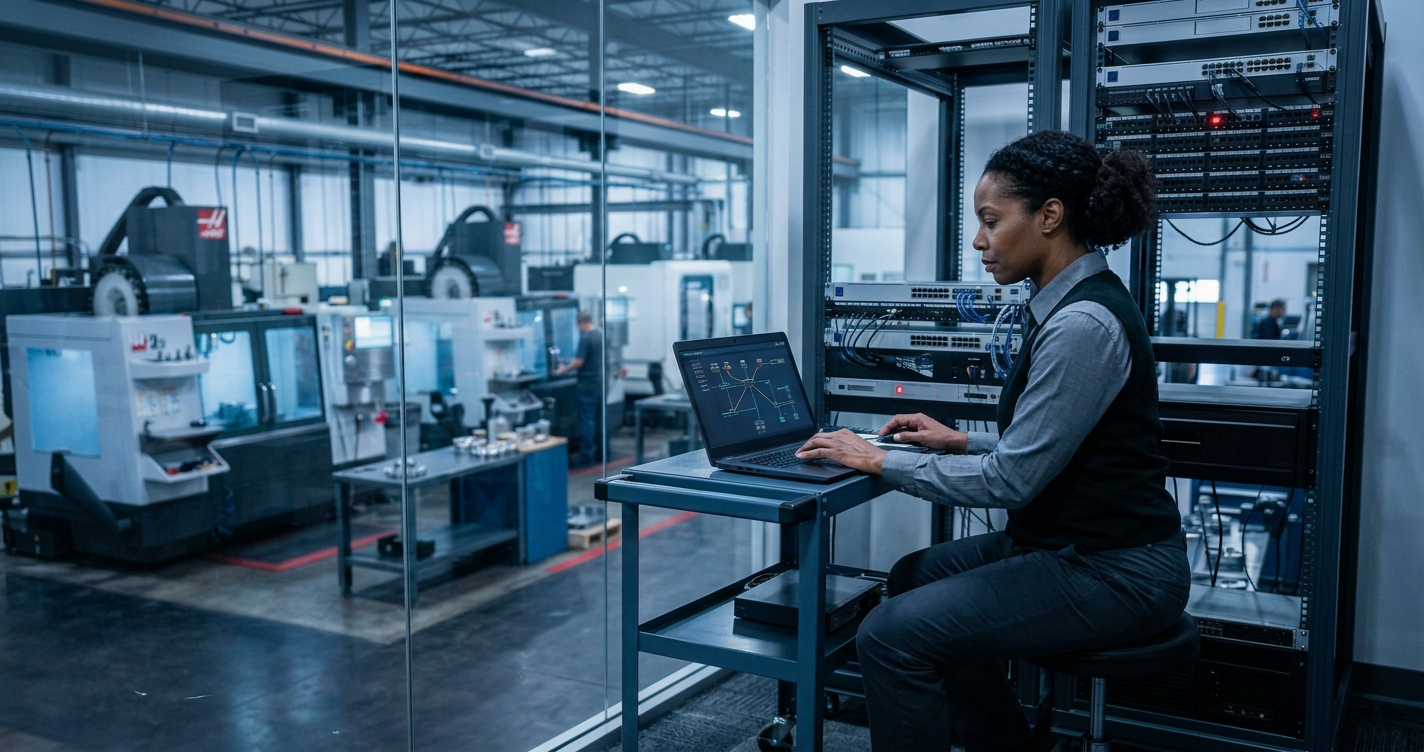
Example: a manufacturing plant running networked CNC equipment might have an MSP catch a failing network switch through automated alerts days before it would have taken the production floor offline.

Q06

How does managed IT support cybersecurity?

Cybersecurity is one of the core pillars of modern managed IT, not a separate add-on. A managed IT provider typically supports cybersecurity through:

  • Endpoint protection and 24/7 threat monitoring across every device on the network
  • Firewall management, intrusion detection, and multi-factor authentication (MFA)
  • Email security and phishing protection, since email remains the most common entry point for attacks
  • Regular vulnerability assessments and penetration testing to find weaknesses before attackers do
  • Incident response planning, so staff know the steps to contain a breach
  • Security awareness training for employees

Small and mid-sized businesses are increasingly targeted precisely because attackers assume they have weaker defenses than large enterprises. Managed IT closes that gap at SMB scale and budget.

Q07

What is a vCIO, and how does it fit into managed IT?

A virtual Chief Information Officer (vCIO) provides the strategic, executive-level guidance of an in-house CIO — technology roadmapping, budgeting, vendor negotiation, and aligning IT investments with business goals — without the cost of a full-time executive hire.

Within a managed IT relationship, the vCIO function typically shows up as:

  • Quarterly business reviews (QBRs) to assess what's working and what's coming up
  • Multi-year technology roadmaps tied to business growth plans
  • Budget forecasting for hardware refreshes, licensing, and infrastructure upgrades
  • Risk and compliance guidance, translating regulations into concrete IT decisions
  • Vendor and contract management to avoid overpaying for underused software or hardware

Example: for a 50-person professional services firm, a vCIO might be the difference between reactively replacing servers after they fail and proactively budgeting for a planned refresh two years out.

Q08

How does managed IT support regulatory compliance?

Compliance requirements vary widely by industry, but managed IT providers generally support compliance through:

  • Access controls and audit logging, so businesses can demonstrate who accessed what data and when
  • Encryption of data at rest and in transit
  • Documented policies and procedures, which are often what auditors ask to see
  • Regular risk assessments, required under frameworks like HIPAA
  • Incident response and breach notification planning

A healthcare or dental practice needs HIPAA-aligned safeguards, a financial services firm needs FINRA- and PCI DSS-aligned controls, and a municipality or law enforcement-adjacent organization may need CJIS-compliant systems. Managed IT providers with vertical experience build these requirements into standard operations rather than an annual fire drill.

Q09

How much do managed IT services cost?

Managed IT pricing is most commonly structured as a flat monthly fee per user or per device. Pricing depends on:

  • Number of users and devices covered
  • Scope of services (basic support vs. fully managed with security and strategy included)
  • Compliance requirements, which can add cost for additional controls and documentation
  • On-site vs. remote support expectations
  • Server and infrastructure complexity

Rather than comparing providers on price per user alone, it's worth comparing what's actually included — a lower monthly rate that excludes backup management or advanced security isn't necessarily a better deal once those gaps get billed separately or, worse, cause an incident.

Q10

How does managed IT work for manufacturing, logistics, and distribution businesses?

Manufacturing, industrial logistics, and wholesale distribution businesses have IT needs that look different from a typical office environment:

  • Uptime is tied directly to production and shipping. Downtime doesn't just slow down email — it can halt a production line or delay outbound shipments.
  • Specialized equipment and legacy systems. CNC machines and warehouse systems often run older operating systems that need careful patching and network segmentation.
  • Remote and warehouse connectivity. Wireless coverage across a warehouse floor needs to be designed deliberately, not treated as an afterthought.
  • Data flow between systems. ERP, inventory, and shipping systems need to talk to each other reliably.
  • Physical security integration. Cameras and access control increasingly run on the same network as everything else.

An MSP experienced in these environments designs networks and support plans around production schedules and physical operations — not just office workstations.

Q11

How do I choose the right MSP?

When evaluating managed IT providers, consider:

  • Response time and support availability. Ask about actual average response times, not just marketing claims.
  • Scope of services included versus billed separately. Get specifics on security, backup, and strategic services.
  • Industry experience. A provider familiar with your industry avoids costly missteps.
  • References and reviews. Ask for client references in your industry and size range.
  • Contract flexibility and transparency. Understand what happens if you need to scale up, scale down, or exit.
  • Proactive vs. reactive orientation. Ask how they measure success.

How AllTech IT Solutions Helps Businesses with Managed IT

AllTech IT Solutions provides fully managed IT and cybersecurity services for small and mid-sized businesses across Alabama, with offices in Birmingham (Hoover) and Dothan. We work with manufacturing, industrial logistics, wholesale distribution, healthcare, finance, legal, insurance, and municipal organizations that need dependable technology and real security — without the overhead of building an internal IT department.

Key Areas Addressed by AllTech IT Solutions

Managed Solutions

Your full IT ecosystem — hardware, software, and user support — with proactive monitoring to reduce downtime.

Learn more →

Cybersecurity as a Service

End-to-end threat monitoring, security patching, and 24/7 defense built around real-world risks.

Learn more →

Advanced Cyber Protections

Industry-leading firewalls, intrusion detection, MFA, and endpoint protection to keep data locked down.

Learn more →

Data Management & Backup

Automated cloud backups and tested disaster recovery plans that secure and organize business data.

Learn more →

Virtual CIO (vCIO) Services

Executive-level IT strategy through quarterly reviews, forecasting, budgeting, and vendor management.

Learn more →

Cybersecurity Risk Assessment

Detailed risk profiles, system audits, and remediation plans aligned to your industry's regulations.

Learn more →

Network Penetration Testing

Simulated attacks that find weak points before real threats do, with clear reporting and remediation.

Learn more →

Incident Response Handbook

Customized response plans so your team knows exactly what to do the moment something goes wrong.

Learn more →

AllTech IT Solutions: Managed IT Built for Alabama Businesses

  1. Reduce downtime and IT-related productivity loss.
  2. Strengthen cybersecurity and reduce breach risk.
  3. Support compliance across healthcare, finance, legal, insurance, and municipal work.
  4. Provide predictable, transparent monthly costs.
  5. Deliver strategic technology planning through vCIO services.

IT problems don't wait, and neither should you.

Talk with our team about a managed IT plan built around your business.

Call 205-290-0215
IT specialist working on computer.
June 22, 2026
Find the right Managed IT Services in Birmingham, AL. AllTech IT Solutions offers proactive support and security. Call (205) 290-0215 today.
People collaborating in a modern server room with glowing digital network graphics and data visualizations
By Sara Reichard June 2, 2026
Why Your IT Team's Retirement Might Be Your Biggest Security Problem You're not drowning. Your network is stable. Your team's reliable. And then your long-time IT director retires, and suddenly the math changes. It's 2 a.m., and you're thinking about expansion. Your company's been cash-rich and weathering storms that wiped out competitors. Revenue's coming back. The owner's asking: "What if we expand into 10 new markets in the next couple of years?" And your reply—honest, unfiltered—is: "I'm 67 years old. If we're adding 10 branches and I'll be 69, I'm not doing this in my seventies." That's not pessimism. That's clarity. And it's exactly where a lot of growing mid-market companies find themselves: stable today, but staring at a scaling problem they're not quite ready to name. Why "Stable and Secure" Isn't What It Seems You've earned it. Over the last four years, you've reduced costs by hundreds of thousands of dollars. You've hardened your security. You've built a tight team of people who actually care about their work. Your IT environment? Enterprise-grade. The problem isn't what you've built. It's what you're about to ask of it. Most mid-market leaders make the same calculation you're making: "If we expand quickly, can our IT infrastructure scale?" But they're asking the wrong question. The real question is: "Can our people scale?" Scaling isn't about better infrastructure. It's about bandwidth, expertise, and—most critically—whether the people running your systems want to scale with you. And if your IT manager just told you he's not working into his seventies managing growth you're still planning, that's not a personnel problem. That's a signal that you need a different model. You've survived what killed 7,500 competitors in four years. You did it with no debt, smart decisions, and a lean team. But that same leanness that saved you is now your constraint. The Questions Worth Asking Let's get specific about what you're actually facing. First: What parts of IT can you actually afford to stop doing in-house? You already know the answer intuitively. When we asked one IT director what they'd outsource if they brought on 10 new branches, his first thought was: "Hardware deployment—provisioning and shipping equipment to new offices. That's probably one or two people's worth of work." That's not a small thing. That's a real, chunked piece of IT you could move off your plate. But most companies never ask this question until they're already drowning. Second: Are you hiring for growth or hiring to survive? Your staffing business knows this better than most industries: finding talent is brutal, and keeping it is harder. You've got a younger tech on your team who's already becoming invaluable. He's bright, he's learning fast, and frankly—you're worried someone else is going to realize his value before you do. That's a real fear. So here's the tough part: if you're adding 10 branches, are you planning to hire 2–3 more IT people? Or are you going to burn out the team you have? Third: What was the ransomware attack five years ago really telling you? You got hit. They were inside for a month without anyone knowing. You restored from backup—and everyone said you were lucky. The part that stuck with you: if it happens again, you're not going back to backup. You're replacing every piece of hardware because you can't trust what's hiding inside the existing infrastructure. That's not paranoia. That's the new reality of security at scale. And that realization? It's your biggest protection. But it only works if your team has the bandwidth to act on it when something happens. If your IT director is managing 40 offices on a 3-person team and planning his retirement, what happens when the next threat comes? Fourth: Can you actually feel confident in your compliance story? Five years ago, ransomware was your industry's problem. Now insurance companies are asking questions. They want proof—not policies, but evidence—that you're actually doing what you say you're doing on security. That's a new burden. And it's one that grows with every new office you add. Why This Changes Everything Here's where most companies get it wrong: they think scaling IT means buying better tools or hiring cheaper people. It doesn't. It means building a model where your team isn't the single point of failure. Think about what you actually need. You've got a 3-person team managing 36 offices across 9 states right now. That works because the work is distributed (remote ticket support, email, cloud backups). But it only works because your people are good and they're present. The moment your IT director steps back, the moment you add 10 new locations, or the moment one of your rising stars gets a better offer elsewhere—that model breaks. Here's what actually changes things: a co-managed model. This doesn't mean replacing your team. It means partnering with a provider like AllTech IT Solutions who can absorb specific pieces—helpdesk, hardware deployment, 24/7 security monitoring, 24/7 response—while your internal team keeps ownership of strategy, relationship-building, and the stuff that requires industry knowledge. Your team stays. Your culture stays. But the scaling problem? That's shared. In practice, this looks like: your company handles new office relationships and strategic decisions. AllTech handles the provision-and-ship logistics for hardware, manages continuous security monitoring across all 40+ offices (now including the 10 you're adding), and provides support so your 67-year-old IT manager isn't the only person on call when something breaks at 2 a.m. The beauty of this model is it's built around your constraints, not around forcing you to choose between "hire people we can't find" or "run your team ragged." What This Actually Looks Like Let's put this in concrete terms, because the theory only matters if it works. Scenario 1: Hardware Expansion (Your First Outsource Target) You're adding 10 new branch offices. Each one needs 5–10 computers, a router, switches, printers, phones. Your current approach: order the equipment, your team assembles it, tests it, configures it, ships it, deploys it remotely. That's 100+ devices, hundreds of hours of your team's time. With a co-managed approach: you order the equipment, ship it directly to your provider, they provision everything (install the OS, pre-configure security, load your line-of-business software remotely), and drop-ship it to each new location. Your team does the local walkthrough and relationship-building when needed. You saved yourself 1–2 people's worth of work, and you've got a professional deployment that's consistent across all locations. As you grow to 50 offices, that savings compounds. Scenario 2: Security Monitoring During Uncertainty Five years ago, ransomware attackers were inside your network for a month before anyone noticed. That can't happen again—you've already thought about that. But here's the new problem: you've got 36 offices now, heading toward 46. Your IT team is managing patches, backups, and user support. Who's watching for the next breach while they're doing their day jobs? This is where continuous monitoring matters. Real-time threat detection. When someone tries to log in from an impossible location, systems lock automatically and alert in real-time. When a user downloads suspicious files, it's caught before it spreads. When a new vulnerability drops for something you use, it's identified and flagged before hackers weaponize it. This runs 24/7, independently of whether your team has bandwidth that day. AllTech has a security operations center doing exactly this for dozens of companies—one of them was a law firm that got hit badly because someone kept re-opening a malicious file their antivirus kept blocking. On the fourth try, it got through. With real-time monitoring, that's caught and locked down before attempt two. Scenario 3: Succession Planning Without Turnover You hired a bright tech three years ago—entry-level, but incredibly sharp. You've trained him up, and now he's running full speed. But you know something: finding another person with his potential is hard. Keeping him? Harder. He's not on pharmaceutical or finance salaries. He's on staffing-industry salaries. So your real risk isn't that you'll lose him to poaching—it's that you'll burn him out if you force him to scale the entire infrastructure while you're adding 10 offices and your IT manager retires. With a co-managed partner handling provisioning, monitoring, and response, your internal team is freed up to focus on what they're actually good at and what actually matters: relationships, strategy, and staying fresh. Your rising star stays engaged. You keep the talent you've worked hard to build. Now the Question Becomes... You're not looking to abandon your IT team. You're not looking to cut corners on security. You're looking to build a scaling model that doesn't depend on your IT manager working into his seventies, and that doesn't ask you to choose between going without security and drowning in cost. The companies that got this right—they didn't replace their teams. They strengthened them by handling the scaling pieces that drain time but don't require industry knowledge. Here's what's worth asking: If you expand into those 10 new markets, which part of IT would be easiest to move off your internal plate? Not your whole department—just the piece that's pure logistics, or the piece that requires 24/7 watching and doesn't need your people's specific expertise. What would it look like to keep your culture, keep your team engaged, and actually grow without the burnout? That's the conversation that matters. And you don't need to have it until you're ready—but you should start thinking about it now, before you're in crisis mode trying to figure it out. If you want to explore what a co-managed IT partnership looks like for a distributed, growing organization like yours, AllTech IT Solutions works with mid-market companies navigating exactly this transition. You can start a conversation at https://alltechsupport.com , no pressure, no commitment. Just a peer conversation about what's possible. The companies that thrive through growth don't do it alone. They build partnerships where the pieces fit together. Your job is strategy and culture. Partner's job is scaling. Everyone stays engaged. That's worth thinking about. 
Person at a desk with multiple monitors in a city office, viewing data dashboards and glowing cybersecurity overlays at dusk
May 27, 2026
Why Your Accounting Firm's IT Infrastructure Isn't Just a Technical Problem—It's a Business Lifeline The Real Cost of "We'll Do Better" Tax season waits for no one. Neither do cybercriminals. That's the reality facing accounting firms today. You're managing sensitive financial data, client information, and compliance obligations—while operating infrastructure that may be one breach away from disaster. Yet many firms find themselves trapped in a cycle: their current IT provider promises improvements, quarter after quarter, but nothing fundamentally changes. Sound familiar? Three Vulnerabilities That Keep You Up at Night 1. The Backup That Doesn't Exist When You Need It Backups are supposed to be your safety net. But a backup that fails silently is worse than no backup at all—because you don't know you're exposed until it's too late. When we assess accounting firms, we consistently find backup systems that haven't been tested in months. No restoration practice. No disaster recovery plan. Just hope. 2. The Old Hardware Ticking Time Bomb Servers beyond five years old aren't just aging—they're becoming liability. Parts become unavailable. Warranties expire. And when failure happens during tax season, you're not calling Dell. You're searching eBay for replacement components and praying they work. 3. The Compliance Gap Nobody's Talking About HIPAA. GDPR. FINRA. PCI. Each regulation has specific requirements—and many require 100% compliance, not 99%. You could be meeting 19 out of 20 requirements and still be technically non-compliant. That one missing item? It's the one the auditor finds. Or worse—the one a cybercriminal exploits. Why Accountants Are the #1 Target Here's what cybercriminals know: accounting firms have access to money, client data, and predictable workflows. They don't need to break into your system dramatically. They just need to: Watch your email for payment instructions and client data transfers Intercept wire transfer requests by impersonating leadership Deploy ransomware during your busiest season when downtime costs the most Compromise your clients through your systems, making it your liability One firm we worked with experienced a ransomware attack that started with an employee reconnecting an infected old laptop. It spread to three machines before monitoring stopped it. The result? Incident response. Notifications. Regulatory scrutiny. A breach that could have been prevented. The Partnership Approach That Actually Works Here's what separates a true IT partner from a vendor: Understanding Your Business Rhythm : Your IT infrastructure shouldn't be a generic setup. It should reflect the reality of tax season—when you need everything stable, secure, and running flawlessly. That means proactive maintenance in January. Quarterly checkups. Hardware refreshes on a schedule, not a crisis. Risk Aversion Built Into Every Decision : You're risk-averse for good reason. Your clients depend on you. A system outage doesn't just cost you money—it costs them. A data breach damages trust that takes years to rebuild. A true partner approaches IT with the same mentality: prevent problems, not just fix them. Compliance as a Roadmap, Not a Checkbox : Your risk assessment should give you a clear picture: Where are you compliant? Where are you vulnerable? What's the priority order to fix gaps? And critically—which compliance requirements actually apply to your specific business? (Not every regulation is equally relevant to every firm.) Treating You Like Family, Not a Ticket Number : When you become a customer, you're no longer a support case. You become someone they're invested in protecting. That means they know your team. They understand your processes. They're proactive about calling you with concerns instead of waiting for things to break. The Questions to Ask Your Current Provider When was your backup last tested and restored to a clean environment? What's your timeline for replacing servers over five years old? Can you show me a compliance assessment with specific gaps and remediation steps? How do you prevent business email compromise attacks? What's your incident response plan if we get breached? If they can't answer these clearly—or if they're giving you the same vague promises they gave you last year—it's time to look elsewhere. Your Next Step The difference between accounting firms that sleep well at night and those who worry about the next disaster often comes down to one decision: choosing a true partner over a service provider. If you're ready to move from crossed fingers to actual security, let's talk about what a proactive, risk-aware IT partnership looks like for your firm. Your clients deserve better. So do you.
2026 INC. Regions Fastest Growing U.S. Companies cover with tall glass skyscrapers at dusk
May 20, 2026
AllTech IT Solutions has been recognized on the 2026 INC. Regionals list of Fastest Growing U.S. Companies for delivering trusted IT support, cybersecurity, and business technology solutions.
Dim office with multiple monitors and a man leaning over a desk, lit by blue and red screens.
May 15, 2026
When Your MSP Becomes Your Biggest Risk: What Happens When Service Failures Cost You Peak Revenue
“2026 Municipal IT Crisis” cybersecurity graphic with shield, city skyline, data icons, and rising arrows
April 28, 2026
AllTech IT Solutions helps municipalities overcome 2026 IT challenges with reliable support, security, and expert guidance. Call 205-290-0215 today!
Man holding digital tablet standing by supercomputer server.
April 21, 2026
AllTech IT Solutions explains why proactive IT support is vital for business security, efficiency, and growth. Call 205-290-0215 for expert guidance today!
By Sara Reichard April 9, 2026
AllTech IT Solutions explains how healthcare practices can safely use AI tools under HIPAA, BAA, and compliance rules. Call 205-290-0215 for compliant IT guidance today!
Infographic of cybersecurity tools, shields, devices, charts, and connected network icons in blue and green.
By Sara Reichard March 13, 2026
AllTech IT Solutions explains growing cybersecurity and compliance risks facing Alabama healthcare in 2026 and how to stay protected. Call 205-290-0215 for expert support today!
DHS biometric search dashboard on monitors, showing facial, iris, palm, and fingerprint scanning graphics.
March 3, 2026
AllTech IT Solutions explains how the new DHS biometric search system impacts SMB cybersecurity, compliance, and identity risk exposure. Call 205-290-0215 today!